









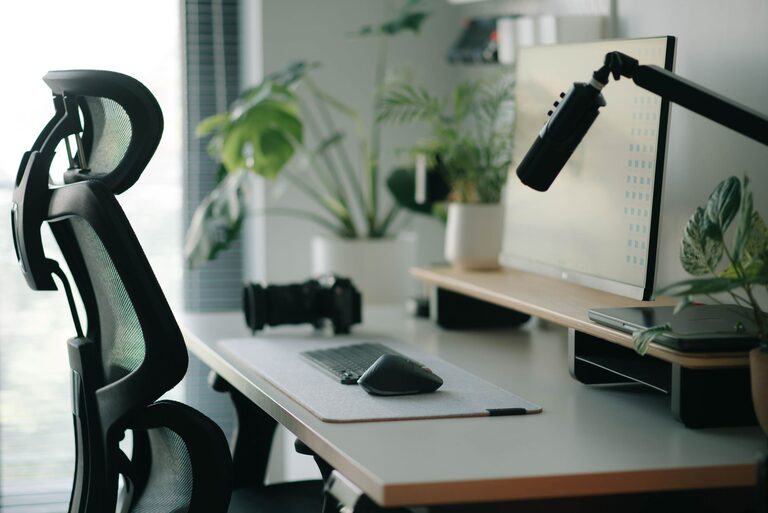
Creating a workspace that promotes focus and comfort is essential, whether you work from home, study, or spend long hours at a desk. A well-organized desk setup not only helps reduce distractions but also supports good posture and overall well-being. In this post, we’ll explore practical tips to design a desk space that enhances your productivity and keeps you comfortable throughout the day.
Why Desk Setup Matters
Your desk setup impacts your physical health and mental clarity. Poor ergonomics can lead to discomfort, fatigue, and even long-term injuries like back pain or carpal tunnel syndrome. Meanwhile, a cluttered or distracting workspace can reduce your ability to concentrate and increase stress. By optimizing your desk and surrounding area, you create an environment that supports sustained focus and creativity.
—
Choosing the Right Desk and Chair
Desk Height and Size
– Find the right height: The ideal desk height lets your arms rest comfortably at a 90-degree angle while typing. Standard desks are usually around 28–30 inches tall, but adjustable desks or standing desks offer more flexibility.
– Space for essentials: Your desk should be large enough to hold your computer, keyboard, mouse, and any other tools you use regularly without feeling cramped.
– Keep it within reach: Arrange items so you can easily access them without stretching or twisting.
Chair Support and Comfort
– Ergonomic chair: Choose a chair with adjustable height, a supportive backrest, and cushioning that supports your lower back.
– Feet flat on the floor: Adjust the chair height so your feet rest flat on the floor or on a footrest.
– Proper posture: Sit with your back straight and shoulders relaxed, avoiding slouching.
—
Monitor and Screen Placement
– Eye level positioning: Position your monitor so that the top of the screen is at or just below eye level. This reduces neck strain.
– Distance: Keep the screen about an arm’s length away to reduce eye fatigue.
– Dual monitors: If using two screens, place them side by side with the primary monitor directly in front of you.
—
Organizing Your Desk for Focus
Declutter Regularly
– Remove unnecessary items to keep your workspace clean.
– Use drawers, shelves, or organizers to store supplies.
– Avoid eating or piling unrelated materials on your desk.
Use Functional Accessories
– Desk organizers: Pen holders, file trays, and drawer dividers help keep things tidy.
– Cable management: Use clips or sleeves to keep cords untangled and out of the way.
– Adequate lighting: Position a desk lamp to avoid glare while providing enough light—natural light is best when possible.
—
Comfort and Wellness Tips
Add Personal Comfort Items
– Wrist rests: Soft pads can relieve pressure when typing or using a mouse.
– Footrests: Offer extra support if your feet don’t comfortably reach the floor.
– Anti-fatigue mats: Useful if you use a standing desk.
Take Regular Breaks
– Stand up, stretch, or walk briefly every 30–60 minutes to reduce stiffness.
– Adjust your seating position periodically.
Keep Hydrated and Maintain Air Quality
– Keep a water bottle nearby to encourage hydration.
– If possible, add plants to your workspace for better air quality and a calming atmosphere.
—
Enhancing Focus Through Desk Arrangement
Minimize Distractions
– Keep your phone on silent or in another room during focused work.
– Use noise-cancelling headphones or soft background music if helpful.
– Choose a quiet corner or room for your workspace.
Set Up Zones
– Create specific areas for different tasks (e.g., computer work, reading, writing).
– This physical separation can reinforce work habits and reduce mental clutter.
—
Final Thoughts
Your desk setup plays a crucial role in your ability to focus and stay comfortable during long working hours. By paying attention to ergonomics, organization, lighting, and personal comfort, you can create a workspace tailored to your needs. Experiment with these tips, and remember that even small changes can make a big difference in your daily productivity and well-being.